
MySudo - Identity Protection
Anonyome Labs, IncProductivity
4.2739.00 Reviews
- Version
- 2.16.2
- Installs
- 500.00K
- Age Rating
- Everyone
Screenshots
Our Review of MySudo - Identity Protection
 Analysis by Appyee
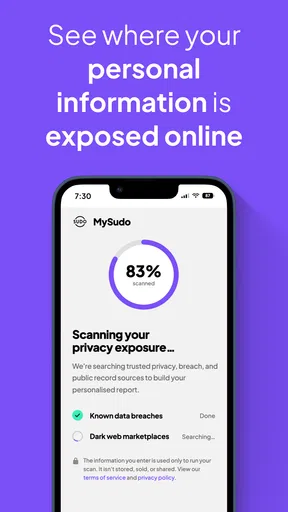
Ever felt like your digital life could use a little more privacy? Well, let me introduce you to MySudo. It's like having a bunch of secret identities in one app, and trust me, it’s as cool as it sounds. If you're someone who values privacy (and who doesn’t these days?), this app might just become your new best friend.
When one inbox starts collecting every part of your life
The practical problem MySudo tackles is familiar: the same phone number and email address end up attached to shopping accounts, social sign-ups, work contacts, and one-off registrations. That makes daily communication easy, but it also means a leak, unwanted marketing list, or persistent stranger can reach the same identity you use for everything else. I find the appeal here less about becoming anonymous and more about putting sensible boundaries around how people can contact me.
That distinction matters. A separate address or number does not make every online activity invisible, and it cannot stop a service from recognizing information you choose to provide. What it can do is give you another contact point, so you do not have to hand out your primary details by default. For anyone who has regretted sharing a personal number just to arrange a single sale, that small change can save time and awkward follow-up later.
What's the Buzz About?
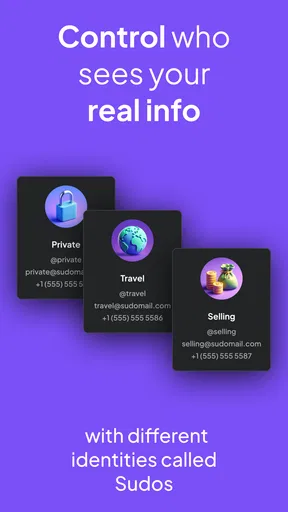
MySudo is an app designed to help you manage your online presence by creating multiple "Sudos" or identities. Each Sudo can have its own phone number, email, and even browsing history. This way, you can keep your work life, personal life, and that secret hobby of yours completely separate. It’s like having a Swiss Army knife for your digital identity.
It is a productivity app from Anonyome Labs, Inc, although its usefulness is really about making privacy habits less cumbersome. Rather than constantly deciding whether to reveal your usual details, you can choose an identity for a particular context and keep its messages in the corresponding place. In my view, that is the strongest idea: a little organization can make safer choices easier to repeat.
The app is free to install, has an Everyone age rating, and its current version is 2.13.1. Its average rating is 3.8 from around three thousand ratings, with roughly seven hundred written reviews, and it has passed one hundred thousand installs. Those figures suggest an established, actively used utility, though they do not tell you whether its particular workflow will suit you. Optional in-app purchases range from $0.99 to $149.99 per item, so I would check what a plan includes before relying on a feature or identity beyond the free allowance.
Setting Up is a Breeze
When you first dive into the app, the setup process is surprisingly intuitive. You’ll start by creating your first Sudo. Think of it as crafting a new persona. Choose a phone number, set up an email address, and you’re good to go. The interface is clean and easy to navigate, which is always a win in my book.
For a first setup, I would keep the purpose narrow instead of making several identities immediately. Create one for a real, recurring need, such as online purchases, and use it consistently for those accounts. That lets you learn where its calls and messages appear and whether the separation is genuinely helpful before you build a more elaborate system.
A useful naming habit is to label each identity by the way you will use it, not by a vague mood or temporary project. “Marketplace” or “Community” is easier to recognize months later than a clever name that no longer explains why you created it. The advantage is not just having extra contact details; it is remembering which one you gave to which people and services when a message arrives.
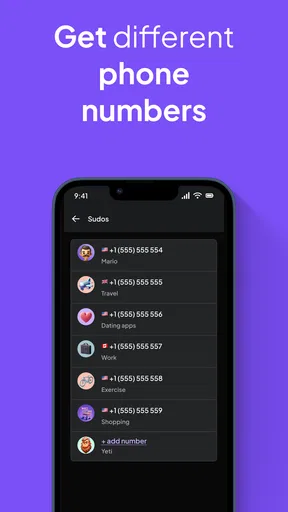
Once you’ve got your first Sudo set up, you can start creating more. Want one for online shopping? Check. How about one just for social media? Done. You can have up to nine different Sudos, each tailored to whatever part of your life you want to manage separately. It’s flexibility at its finest.
That ceiling makes it worth being selective. I would not create a new Sudo for every single website: the extra separation can become its own chore if you cannot remember where you used each identity. A few durable categories are easier to maintain, and they make it simpler to spot which contact channel is receiving unwanted messages. The best setup is the smallest one that still gives you useful boundaries.
Staying Secure
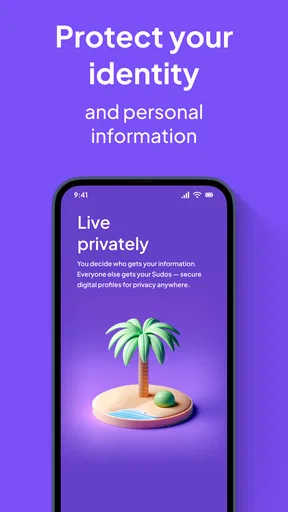
Now, let’s talk security. With MySudo, all your communications are encrypted. This means your messages and calls are for your eyes and ears only. Plus, the app doesn’t require any personal information to set up, which is a refreshing change from the usual data-hungry apps we see these days. It’s like having a digital safe for all your interactions.
And if you’re a bit of a tech geek like me, you’ll appreciate the use of end-to-end encryption and the fact that your data isn’t stored on any servers. It’s all about keeping you in control, and honestly, it’s about time we had more apps like this.
I still treat privacy tools as one layer rather than a complete shield. A Sudo can reduce exposure of your regular contact details, but it does not guarantee that a retailer, social platform, or other service will handle all account information the way you would hope. I would avoid putting sensitive personal details into any account simply because I used a separate email or number to register.
Real-Life Application
Imagine this: You're selling something online. Instead of giving out your personal phone number, you can use a Sudo number. No more random calls from strangers at odd hours. Or maybe you’re signing up for a new service and don’t want to deal with spam emails later. Just use a Sudo email. It’s these little conveniences that make MySudo not just useful, but essential.
A realistic routine might be listing a desk for sale on a local marketplace, using the Sudo assigned to that kind of public exchange, then keeping the conversation in that channel while arranging pickup. If the listing attracts irrelevant contact, you have not exposed the number you share with family or long-term contacts. The benefit is control over which identity you use; it is not a promise that every stranger will behave or that a message can never arrive.
The same approach works for a short-lived trial or a mailing list you are unsure about. I would use a dedicated email identity, then watch whether that channel becomes noisy. If it does, the clutter stays easier to identify instead of blending into the inbox I use for bills, appointments, and people I know. This is a practical way to learn which sign-ups are worth keeping without turning the main inbox into a sorting project.
Even when you’re browsing, you can use the app’s private browser feature to keep your search history separate from your main browser. It’s a great way to keep those birthday gift searches from showing up when you’re just trying to Google what time the local coffee shop opens.
For that browser, I see the main value as keeping a particular browsing context apart from the one I use day to day. It can be handy when researching a surprise, checking a sensitive topic on a shared device, or simply keeping a focused search session separate. I would not assume that a private browsing space replaces every privacy setting in a device or account; it is most useful as a straightforward boundary, not a universal anonymity switch.
Fitting the app into a real routine
The time-saving payoff depends on using the identities consistently. If I register with a shopping Sudo today and then forget that choice, I may waste time searching for the right inbox or wondering why a verification message did not reach my usual address. Before signing up, I would decide which identity fits and keep that rule simple. A brief note in a personal password manager can help record the account-to-identity mapping without relying on memory alone.
For someone who receives a lot of calls or messages for different roles, separating personal, work, and public-facing contact can make incoming communication easier to interpret. A message arriving through a marketplace identity has a different context from one sent to a family contact channel. That does not eliminate the need to screen unknown callers, but it gives me a useful clue before I respond.
MySudo is also a better fit for people willing to maintain a small system than for someone who wants every contact detail to remain exactly as it is. The initial benefit comes from changing what you hand out; if you keep giving every service your primary address out of habit, extra identities will sit unused. I would start with the next new account rather than trying to migrate every old login in one afternoon.
Where it differs from ordinary privacy habits
The usual alternative is to use one email address and phone number everywhere, perhaps adding email aliases or relying on a browser’s private mode when needed. That can be enough for someone whose main concern is tidier mail, and it may involve less setup. MySudo’s appeal is bringing several identity channels together so the separation can cover more than inbox organization alone.
There is a trade-off: one central app can be convenient, but it also asks you to make that app part of your communication routine. If you prefer separate email providers and a familiar phone line, or you rarely share contact details beyond people you trust, the extra layer may feel like more management than it saves. I would choose the simplest option that addresses the specific exposure I actually worry about.
The Everyday Benefits
What I love most about MySudo is the peace of mind it offers. In a world where privacy seems to slip through our fingers like water, this app gives you a firm grip. Whether you’re dodging spam, protecting your data, or just trying to keep your worlds from colliding, MySudo is there to help.
That peace of mind is most convincing when it changes a small decision at the right moment: choosing a separate contact for a public listing, keeping an optional sign-up away from a primary inbox, or making personal and work communication easier to distinguish. Those choices can reduce cleanup later. They are less useful if the app becomes a collection of identities you rarely remember to use.
Plus, the app is available on both Android and iOS, so you’re covered no matter what device you’re rocking. And if you’re worried about pricing, there’s a free version available. But if you find yourself needing more than three Sudos, there are affordable subscription plans to fit your needs.
Before committing to a paid tier, I would first work out how many separate identities I truly need and check the current in-app options, since purchases can vary considerably in cost. The free starting point makes it easier to test whether the workflow suits you, while the range of paid items means “affordable” will depend on the plan and on your own budget. The app was released on May 10, 2020, and requires Android 8.0 or later, useful details to check before installing on an older device.
Who will get the most from it
I would recommend trying it if you often sign up for services, sell items online, manage a public-facing hobby, or want a clearer divide between work and personal contact. It is particularly useful when the same number or inbox has become a catch-all and you are willing to build a simple habit around choosing the right identity. Someone who wants to reduce exposure without juggling several unrelated apps may appreciate that the different channels sit within one privacy-focused tool.
I would skip it if you want a one-tap fix that requires no change in behavior, if you only need a basic email alias, or if your existing setup already keeps unwanted contact manageable. It is also not a substitute for a password manager, careful account security, or sensible judgment about what information to share. If your top priority is simply communicating through the phone number and email you already use, a conventional setup will probably be less work.
Overall, MySudo is a fantastic tool for anyone looking to take control of their digital footprint. It’s versatile, easy to use, and most importantly, keeps your privacy intact. So, if you're ready to reclaim your online life, give MySudo a try and see how it can transform the way you manage your identity.
Verdict
Strengths of MySudo - Identity Protection
- Allows multiple phone numbers and emails.
- Strong encryption for secure communication.
- User-friendly interface for easy navigation.
- No ads, providing an uninterrupted experience.
- Offers a free trial to explore features.
Limitations of MySudo - Identity Protection
- Limited features in the free version.
- Occasional syncing issues reported.
- Subscription can be pricey for some.
- Requires internet for full functionality.
- Limited customer support options available.
Similar Picks in This Category
View All
Google Calendar
Google LLC4.6

Google Drive
Google LLC4.3

Google Assistant
Google LLC3.9

Microsoft OneDrive
Microsoft Corporation4.6

Samsung Calendar
Samsung Electronics Co., Ltd.4.1

Microsoft OneNote: Save Notes
Microsoft Corporation4.6
Frequently Asked Questions
What is MySudo and how does it protect my identity?
MySudo is a privacy-focused app that allows users to create multiple digital identities, or 'Sudos,' with unique phone numbers, email addresses, and browsing capabilities. This separation helps protect your personal information from being tracked or exposed, enhancing your online privacy and security.
Can I make calls and send texts with MySudo?
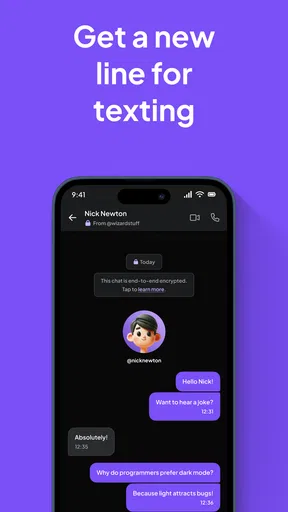
Yes, MySudo enables you to make calls and send texts using your Sudo identities. Each Sudo comes with its own phone number, allowing you to communicate without revealing your personal number, thus maintaining your privacy and avoiding unwanted contacts.
Is MySudo easy to use for someone without technical expertise?
Absolutely, MySudo is designed with user-friendliness in mind. The app offers a straightforward interface, making it simple to create and manage multiple Sudos. Even users without technical expertise can navigate its features easily, ensuring a seamless experience in protecting their identity.
Does MySudo offer email services?
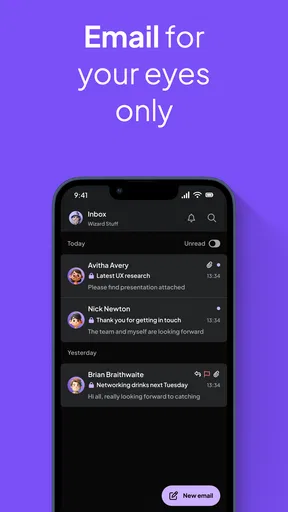
Yes, MySudo provides secure email services tied to each of your Sudos. This means you can send and receive emails without exposing your primary email address, helping to prevent spam and phishing attempts, while maintaining better control over your personal information.
What are the limitations of the free version of MySudo?
The free version of MySudo offers a limited number of Sudos and features. For more comprehensive protection and additional options like more Sudos, increased messaging or calling limits, and advanced features, users may need to explore the premium plans offered by the app.
